Most developers think their .env file is safe because it is in .gitignore. Then they hand a coding agent the keys to their project and assume the same logic applies. It does not. "Ignored by git" and "ignored by Claude Code" are two different things, governed by different config files.
Claude Code does not auto-scan and slurp up your .env on startup. But it will read whatever it judges relevant to the current task, and once a secret enters a tool result, it is part of the conversation context. From there, depending on your privacy settings and plan, it may end up in logs sent back to Anthropic.
The fix is mostly one config file, one habit, and - for high-stakes work - one OS-level lock. This post walks through what actually works according to Anthropic's official docs, what looks like protection but is leakier than it seems, and the leak paths most articles skip. Every claim below is sourced. References are at the bottom.
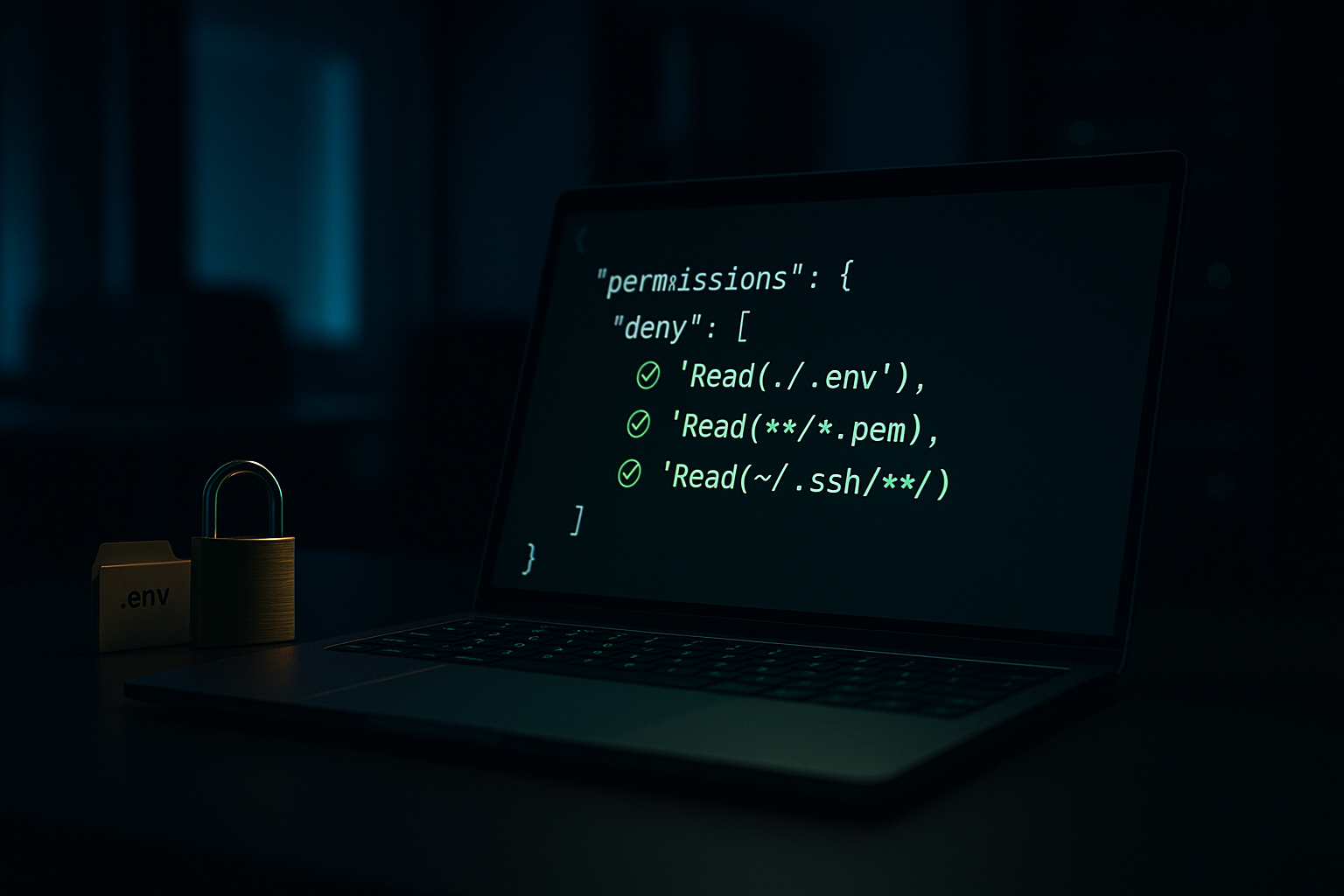
The Threat Model: Three Ways Secrets Actually Leak
Before configuring anything, get the threat model right. Secrets reach the conversation through three distinct paths, and each needs a different defense.
- Direct file reads. You ask Claude to refactor your config loader. It opens
.envto understand the variable names, and the values come along for the ride. This is the textbook leak and the easiest one to block. - Runtime output capture. Claude runs your test suite or boots your dev server. A failing request logs the full
Authorization: Bearer sk-live-...header. A database error dumps the connection string with the password. The.envfile was never opened, but the secrets are now in context anyway, courtesy of your own application's logs. - Search and grep results. Claude runs grep for a function name. The match happens to be next to a hardcoded API key in a forgotten config file. The grep output includes surrounding lines.
Path 1 is straightforward to block. Path 3 is partially blocked by the same mechanism (more on that below). Path 2 is the one that actually leaks production credentials in practice, and the only solid defense is OS-level sandboxing.
Why CLAUDE.md Alone Is Not Enough
Adding "never read .env files" to your CLAUDE.md is a reasonable starting move, but it is a soft instruction. Under ambiguous prompts or long context, soft instructions sometimes lose to other priorities.
Anthropic's own permissions docs explicitly position permissions.deny rules - not memory files - as the mechanism for excluding sensitive files: "To prevent Claude Code from accessing files containing sensitive information like API keys, secrets, and environment files, use the permissions.deny setting"[1]. Use enforcement, not instructions, for anything you cannot afford to leak.
Issue #24846[3] reports that deny rules failed to block .env.local. Looking at the bug report, the user wrote a malformed schema (permissions.read.deny: [...]) instead of the documented form (permissions.deny: ["Read(./.env)"]), and the issue was closed as a duplicate. Real bugs in deny enforcement have existed - issue #6631 from August 2025 documents a period where Read/Write deny patterns were not enforced[4] - but the current docs and recent versions support the syntax shown here. Use the official format and verify it works in your environment.
The Fix: Deny Rules in settings.json
Claude Code has a permissions system with three lists: allow, ask, and deny. Rules are evaluated in order - deny first, then ask, then allow - and the first matching rule wins[2]. This is the right place to declare files that no built-in tool should ever read.
Add this to ~/.claude/settings.json for global protection across every project:
{
  "$schema": "https://json.schemastore.org/claude-code-settings.json",
  "permissions": {
    "deny": [
      "Read(./.env)",
      "Read(./.env.*)",
      "Read(**/.env)",
      "Read(**/.env.*)",
      "Read(**/.dev.vars*)",
      "Read(**/*.pem)",
      "Read(**/*.key)",
      "Read(**/secrets/**)",
      "Read(**/credentials/**)",
      "Read(~/.aws/**)",
      "Read(~/.ssh/**)",
      "Read(**/config/database.yml)",
      "Read(**/config/credentials.json)",
      "Read(~/.npmrc)",
      "Read(~/.pypirc)",
      "Edit(**/.env*)",
      "Edit(**/secrets/**)",
      "Edit(~/.ssh/**)"
    ]
  }
}
A few notes on syntax that the docs are explicit about[2]:
- Pattern syntax follows the gitignore specification.
*matches files in a single directory,**matches recursively. - A bare
/pathis relative to the project root, not the filesystem root. Use~/pathfor home directory and//pathfor true absolute paths. Use./pathfor paths relative to the current directory. This trips people up. Editrules cover all built-in file edit tools. There is no separateWriterule type in the official permission rule reference -Editis the canonical name.- The
$schemaURL is the JSON Schema Store entry and is what Anthropic's own example settings file uses[1]. Adding it gives you autocomplete and validation in any editor that supports JSON schema.
What Deny Rules Actually Block (And What They Do Not)
This is the part most write-ups gloss over, and Anthropic spells it out plainly.
“Read and Edit deny rules apply to Claude's built-in file tools, not to Bash subprocesses. A
Read(./.env)deny rule blocks the Read tool but does not preventcat .envin Bash. For OS-level enforcement that blocks all processes from accessing a path, enable the sandbox.[2]
Three implications:
- The Read deny rule does cover Grep and Glob in addition to the Read tool itself, because "Claude makes a best-effort attempt to apply Read rules to all built-in tools that read files like Grep and Glob"[2]. So path 3 (grep leaks) is largely mitigated.
- It does not cover bash. If Claude runs
cat .env,head .env,grep -r FOO ., ordiff .env.example .env, those go through the Bash tool's stdout and bypass your Read deny rules. - Worse, several read-only Bash commands -
ls,cat,head,tail,grep,find,wc,diff,stat,du,cd, and read-only forms ofgit- "run without a permission prompt in every mode"[2]. Socat .envcan execute without you ever seeing an approval dialog.
If you only configure Read deny rules, you have closed paths 1 and 3 but left a wide-open hole on path 2 plus a decent-sized side door on path 1 via Bash. The next two sections close those.
Verify Your Deny Rules Actually Work
Do not trust your config until you have tested it. Per Anthropic's own UX, you can run /permissions inside Claude Code to see all active rules and where they came from[2], and /status to see which settings sources are loaded.
To verify enforcement, create a throwaway directory, drop a .env in it with fake values, open Claude Code there, and ask it to read the file via the Read tool. It should refuse. Also try cat .env through Bash. Note what gets through, then adjust.
Never run this verification in a real project with real credentials. Create a scratch directory, populate it with dummy values, run the tests there.
Closing the Bash Hole
Two options: weak and strong.
Weak Option: Allow-List Bash
Do not grant blanket Bash access. Allow specific commands only. The permissions.allow list with patterns like Bash(npm run *) and Bash(git status) is the documented approach[2]. Anything not on the list goes through the normal permission flow.
Strong Option: Sandbox the Bash Tool
Claude Code ships with native OS-level sandboxing using Seatbelt on macOS and bubblewrap on Linux/WSL2[5]. This is the actual fix for path 2 (runtime output) and the bash hole. The sandbox restricts filesystem and network access at the kernel/OS level, which means it applies to every subprocess Claude spawns, not just commands the model considers running.
Enable it with /sandbox in the REPL or in settings.json:
{
  "sandbox": {
    "enabled": true,
    "autoAllowBashIfSandboxed": true,
    "filesystem": {
      "denyRead": ["~/.aws/credentials", "~/.ssh/**"]
    },
    "network": {
      "allowedDomains": ["github.com", "*.npmjs.org", "registry.yarnpkg.com"]
    }
  }
}
Per Anthropic's docs, sandbox denyRead paths are "merged with any paths from Edit(...) and Read(...) permission rules"[5], so your existing deny list extends naturally into the sandbox boundary. With sandboxing on, cat .env from within bash hits the same wall as the Read tool would.
Linux and WSL2 require bubblewrap and socat to be installed first[5]:
# Ubuntu/Debian
sudo apt-get install bubblewrap socat

# Fedora
sudo dnf install bubblewrap socat
macOS works out of the box.
Blocking Runtime Leaks at the Application Layer
Even with sandboxing, your application can still print secrets to stdout that Claude then captures as tool output. The simplest fix is to make sure the secrets the app sees during dev and test are not the real ones.
Use a separate .env.test with dummy values, and point your test framework at it:
# .env.test (safe to read, safe to leak, safe to commit if you want)
STRIPE_SECRET_KEY=sk_test_not_a_real_key
DATABASE_URL=postgres://test:test@localhost:5432/testdb
OPENAI_API_KEY=sk-test-dummy-key-for-mocking
AWS_ACCESS_KEY_ID=AKIAIOSFODNN7EXAMPLE
AWS_SECRET_ACCESS_KEY=wJalrXUtnFEMI/K7MDENG/bPxRfiCYEXAMPLEKEY
For local dev with real credentials, consider a vault (1Password CLI, AWS Secrets Manager, Doppler) loaded at session start instead of a plaintext file. The agent never reads the file because the file does not exist on disk.
If the only credentials your dev process ever sees are dummies, then the worst case for path 2 is that a dummy ends up in a transcript. Production keys never enter the loop because they were never on disk.
Catching Mistakes at Commit Time
Pre-commit hooks will not stop Claude from reading a secret, but they will stop you from pushing it to GitHub. Drop this in .git/hooks/pre-commit:
#!/bin/bash
# Blocks commits containing common secret patterns.

PATTERNS=(
  'sk-ant-api03-'        # Anthropic API keys (production format)
  'sk-live-'             # Stripe live keys
  'sk_live_'             # Stripe live keys (alt format)
  'rk_live_'             # Stripe restricted keys
  'ghp_'                 # GitHub personal tokens
  'gho_'                 # GitHub OAuth tokens
  'ghs_'                 # GitHub server tokens
  'AKIA[0-9A-Z]{16}'     # AWS access keys (full pattern)
  'xox[bpors]-'          # Slack tokens
  'SG\.[A-Za-z0-9_-]{22}\.' # SendGrid keys
  'BEGIN.*PRIVATE KEY'   # Private key material
)

BLOCKED_FILES=('.env' 'credentials.json' 'id_rsa' '.pem' '.key')

for pattern in "${PATTERNS[@]}"; do
  if git diff --cached --diff-filter=ACM | grep -qE "$pattern"; then
    echo "BLOCKED: staged change matches secret pattern '$pattern'"
    exit 1
  fi
done

for file in "${BLOCKED_FILES[@]}"; do
  if git diff --cached --name-only | grep -q "$file"; then
    echo "BLOCKED: attempted to commit sensitive file matching '$file'"
    exit 1
  fi
done

echo "Pre-commit security check passed."
exit 0
Make it executable:
chmod +x .git/hooks/pre-commitA regex for eyJ would match every JWT, including the public, harmless ones in your test fixtures. The pattern list above intentionally omits it. The AWS pattern AKIA[0-9A-Z]{16} will match the AKIAIOSFODNN7EXAMPLE placeholder shown in the .env.test sample - AWS publishes that string as the canonical fake key, but a strict regex does not know the difference. If you commit .env.test files, swap in AKIAEXAMPLEEXAMPLE12-style placeholders, add .env.test to your hook's allowlist, or skip the AWS pattern.
For team-wide enforcement, run gitleaks or trufflehog in CI. Local hooks help individuals, but only the people who installed them.
Org-Wide Policy: Managed Settings
For client work or any team where security policy needs to be non-negotiable, use managed settings instead of relying on each developer's ~/.claude/settings.json. Anthropic's docs are clear: managed settings "cannot be overridden by user or project settings" and sit at the top of the precedence chain, above command line arguments[1][2].
Managed settings can be deployed three ways[1]:
Server-Managed
From the Claude.ai admin console for Team and Enterprise plans.
MDM / OS Policies
macOS plist (com.anthropic.claudecode) or Windows registry (HKLM\SOFTWARE\Policies\ClaudeCode), deployable via Jamf, Kandji, Intune, or Group Policy.
File-Based
Drop managed-settings.json into /Library/Application Support/ClaudeCode/ (macOS), /etc/claude-code/ (Linux/WSL), or C:\Program Files\ClaudeCode\ (Windows).
As of Claude Code v2.1.75, the legacy Windows path C:\ProgramData\ClaudeCode\managed-settings.json is no longer supported[1]. If you deployed there, migrate.
A managed-settings example for .env lockdown:
{
  "permissions": {
    "deny": [
      "Read(./.env)",
      "Read(./.env.*)",
      "Read(**/.env)",
      "Read(**/.env.*)",
      "Read(**/*.pem)",
      "Read(**/*.key)",
      "Read(~/.aws/**)",
      "Read(~/.ssh/**)",
      "Bash(curl *)",
      "Bash(wget *)"
    ],
    "disableBypassPermissionsMode": "disable",
    "allowManagedPermissionRulesOnly": true
  },
  "sandbox": {
    "enabled": true,
    "failIfUnavailable": true
  }
}
allowManagedPermissionRulesOnly: true prevents users and projects from defining their own allow/deny rules - only the managed rules apply[2]. disableBypassPermissionsMode: "disable" blocks the --dangerously-skip-permissions escape hatch[2]. sandbox.failIfUnavailable: true means Claude Code refuses to start if the sandbox cannot initialize, rather than silently falling back to unsandboxed mode[5].
A Complete Starting Config
For an individual developer who wants reasonable defaults without organizational policy, here is a defensible ~/.claude/settings.json:
{
  "$schema": "https://json.schemastore.org/claude-code-settings.json",
  "permissions": {
    "allow": [
      "Read",
      "Glob",
      "Grep",
      "Edit(./src/**)",
      "Edit(./tests/**)",
      "Bash(npm run *)",
      "Bash(npm test *)",
      "Bash(npx tsc *)",
      "Bash(git status)",
      "Bash(git diff *)",
      "Bash(git log *)",
      "Bash(git add *)",
      "Bash(git commit *)"
    ],
    "deny": [
      "Read(./.env)",
      "Read(./.env.*)",
      "Read(**/.env)",
      "Read(**/.env.*)",
      "Read(**/.dev.vars*)",
      "Read(**/*.pem)",
      "Read(**/*.key)",
      "Read(**/secrets/**)",
      "Read(**/credentials/**)",
      "Read(~/.aws/**)",
      "Read(~/.ssh/**)",
      "Read(**/config/database.yml)",
      "Read(**/config/credentials.json)",
      "Read(~/.npmrc)",
      "Read(~/.pypirc)",
      "Edit(**/.env*)",
      "Edit(**/secrets/**)",
      "Edit(~/.ssh/**)",
      "Edit(.github/workflows/*)",
      "Bash(rm -rf *)",
      "Bash(sudo *)",
      "Bash(git push *)",
      "Bash(npm publish *)",
      "Bash(curl *)",
      "Bash(wget *)",
      "Bash(chmod *)"
    ],
    "defaultMode": "acceptEdits"
  },
  "sandbox": {
    "enabled": true,
    "autoAllowBashIfSandboxed": true,
    "filesystem": {
      "denyRead": ["~/.ssh/**", "~/.aws/credentials"]
    }
  }
}
A few notes on the choices in this config:
Bash(curl *)is in deny, not allow. Anthropic flagscurlandwgetas risky and notes that pattern-based bash restrictions are fragile[2]. Block them outright.Edit(...)is the canonical rule type for built-in file edit tools per the official permission rule reference[2].defaultMode: "acceptEdits"auto-accepts file edits and common filesystem commands likemkdir,touch,mv,cpwithin the working directory[2]. This is a productivity choice, not a security one. Bash commands with side effects, network calls, and anything matching a deny rule still go through normal evaluation.- Sandbox is on by default for the strongest protection on path 2.
The Actual Checklist
Deny rules in place
For .env, keys, and credentials in ~/.claude/settings.json, using the official Tool(specifier) syntax.
Bash constrained
Allow-list for safe commands; curl, wget, chmod, sudo, rm -rf in deny.
Sandbox enabled
Via /sandbox or sandbox.enabled: true. The only solid defense for path 2.
Tests use .env.test
Dummy values only. Real production credentials never on the dev machine in plaintext.
Secrets in a vault
1Password CLI, AWS Secrets Manager, Doppler. Loaded at session start, never on disk.
.gitignore + pre-commit
Local hook scans staged diffs for known secret patterns before they hit a remote.
CI secret scanning
gitleaks or trufflehog as a backstop. Catches what individual hooks miss.
Managed settings
For client / production work: deploy via MDM with allowManagedPermissionRulesOnly and sandbox.failIfUnavailable.
Items 1 to 6: you are in good shape. All eight: a security review will actually pass. Zero: your first ambiguous Claude prompt is one tool call away from putting an API key in a chat transcript.
A Final Note on Calibration
Security writing about AI tools tends toward catastrophizing. The honest framing, per Anthropic's own security docs: Claude Code uses strict read-only permissions by default and asks before running bash commands or modifying files[6]. It is not silently exfiltrating your secrets. It also has no way of knowing which strings you consider sensitive unless you tell it, in a form it cannot ignore.
“The settings file is how you tell it. The sandbox is how you enforce it. Configure once, verify, move on.
Production AI security starts before Day Two
StronglyAI builds the controls before the demo, not after. Talk to a Forward Deployed Engineer about what your team's setup looks like in production.
Explore the PlatformReferences
- Anthropic. "Claude Code settings." Claude Code Docs. (Settings file locations, schemas, managed settings delivery, scope precedence, and the excluding-sensitive-files example using
permissions.deny.) - Anthropic. "Configure permissions." Claude Code Docs. (Permission rule syntax, the Read/Edit/Bash tool model, the explicit note that Read deny rules do not apply to Bash subprocesses, the read-only bash command list, fragility of bash patterns, and managed-only settings.)
- RyanL2. "Read deny permissions in settings.json not enforced for .env files." GitHub issue #24846, anthropics/claude-code, Feb 11 2026 (closed as duplicate; reporter used the malformed
permissions.read.denyschema instead of the documentedpermissions.deny: ["Read(./.env)"]form). - anthropics/claude-code. "Permission Deny Configuration Not Enforced for Read/Write Tools." GitHub issue #6631, Aug 27 2025 (a real enforcement bug in CLI v1.0.93).
- Anthropic. "Sandboxing." Claude Code Docs. (Seatbelt on macOS, bubblewrap on Linux/WSL2, prerequisites, sandbox modes, filesystem and network isolation, merging of permission rule paths, and the
failIfUnavailablesetting for managed deployments.) - Anthropic. "Security." Claude Code Docs. (Permission-based architecture, prompt injection protections, write-access restrictions, and the Windows WebDAV warning.)